Product case study · In progress
ViraChin
An offline desktop utility that prepares editable Persian compatibility text for design tools with incomplete right-to-left support and creates transparent title artwork with local fonts.
- Year
- 2026
- Role
- Creator, product designer, and developer
- Technologies
- macOS, Windows, Persian Unicode, GitHub Releases, HTML, CSS, JavaScript
Offline · private · macOS + Windows
Persian text, arranged for design.
01
The problem
Persian text can become incorrectly ordered or shaped in design applications whose right-to-left support is incomplete. A flattened image avoids renderer problems but removes editability; ordinary copied text stays editable but may break when an LTR-oriented application wraps it again.
02
Context
ViraChin is a focused desktop utility validated first with Affinity Designer. The application source is maintained privately, while a separate public repository provides the product website, screenshots, installation guidance, checksums, and release downloads. The current beta is available for macOS and Windows, with portfolio download links that resolve the newest published release automatically.
03
Responsibilities
- Define the product around a specific Persian typography workflow rather than a general-purpose text editor
- Design and build two focused creation modes for editable compatibility text and transparent title artwork
- Create the bilingual product identity, interface, screenshots, and public product website
- Package and document the macOS and Windows beta with checksum verification and safe installation guidance
04
Architecture
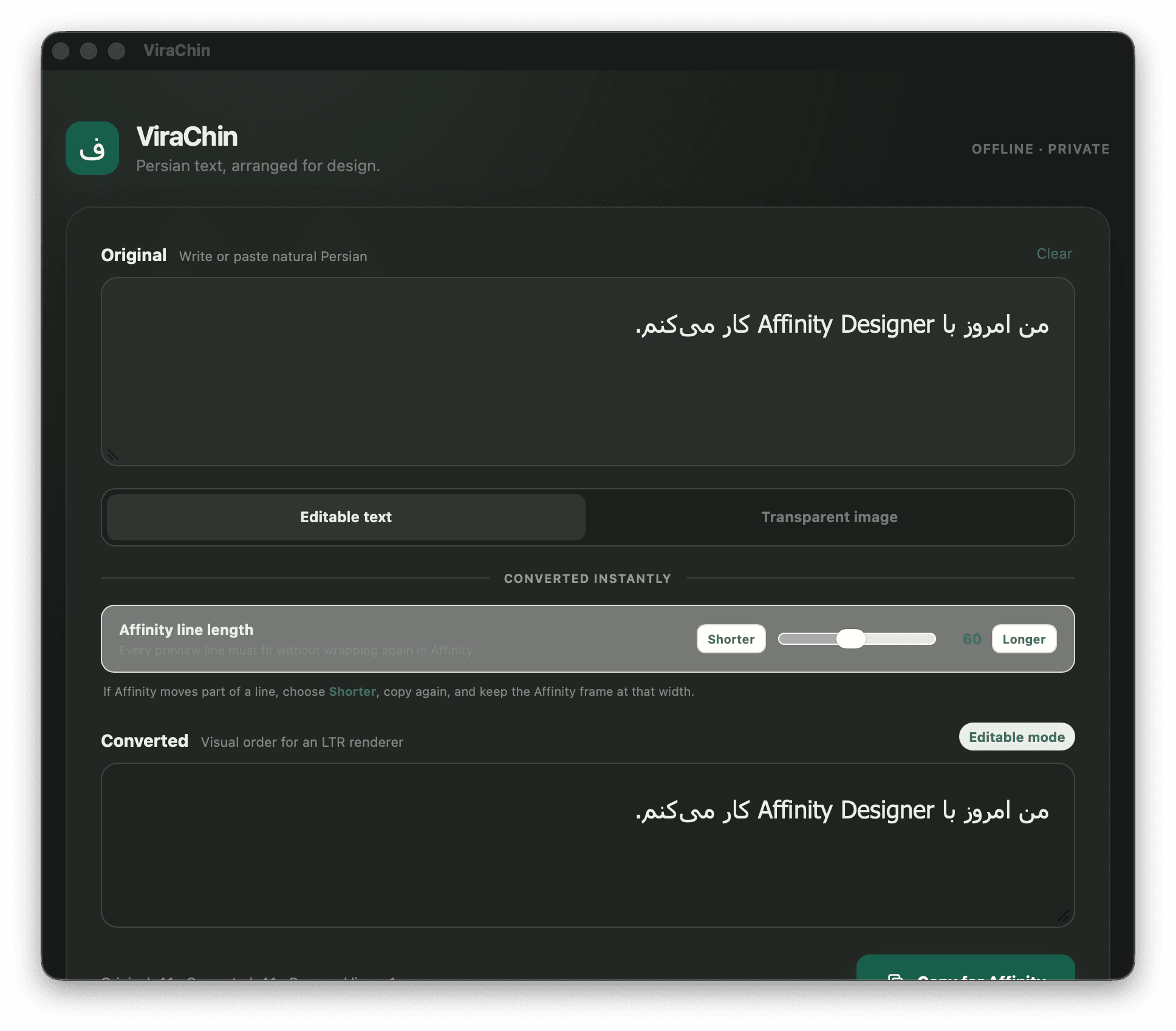
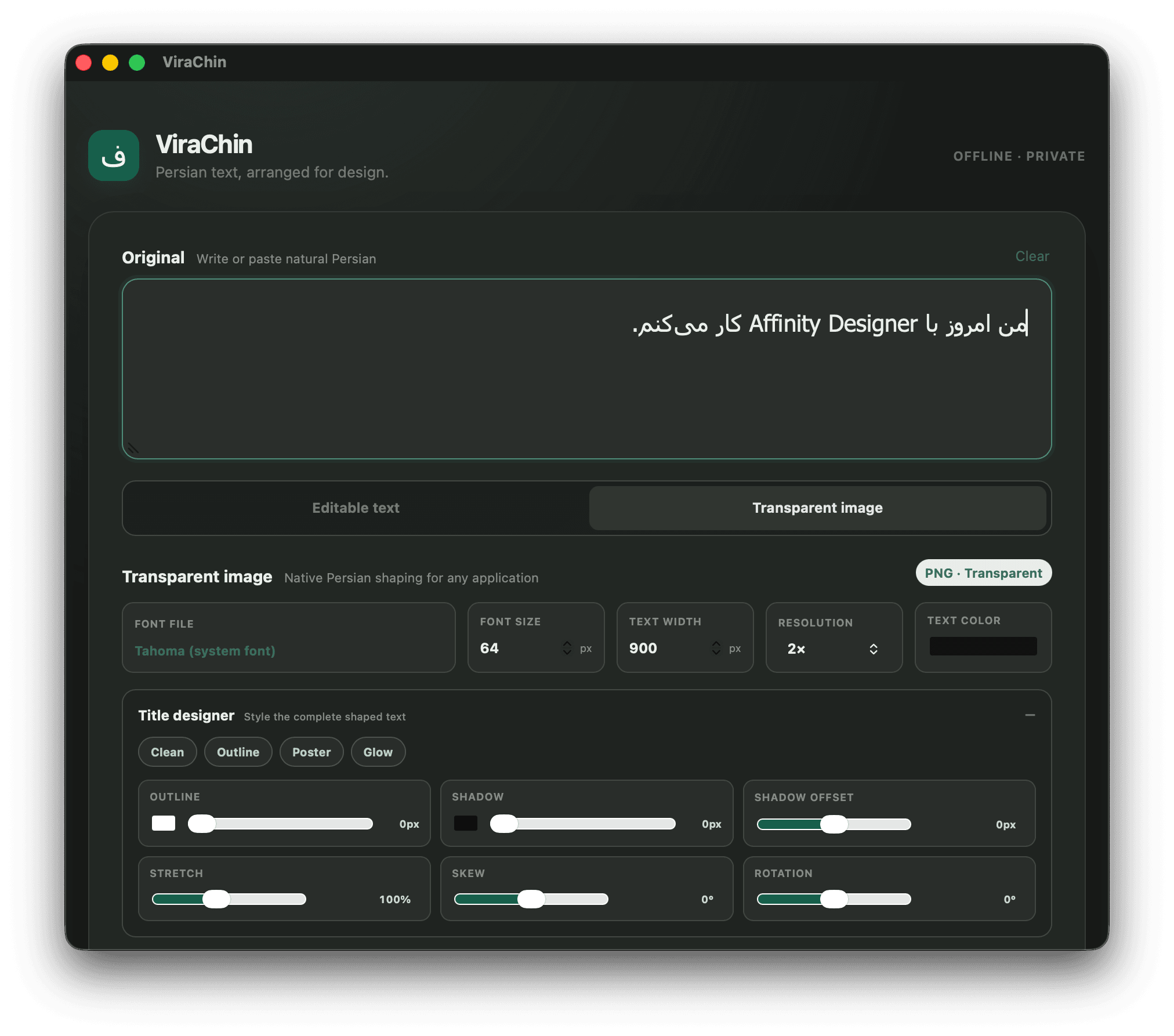
The product keeps conversion local to the user’s device and separates its two output paths at the interface level. Editable mode transforms natural Persian into visual-order compatibility text with adjustable line length and codepoint inspection. Transparent-image mode uses local TTF or OTF fonts and exports PNG artwork with no backend involved. The public release surface is intentionally separated from the private application source and is delivered through a static GitHub Pages site plus versioned GitHub Releases.
05
Technical decisions
Make privacy a system boundary
ViraChin has no backend, account, analytics, or network-dependent conversion. Input remains local, is not persisted, and reaches the clipboard only after an explicit copy action.
Separate editable and visual output
One mode preserves copy-ready text and meaningful Unicode details such as ZWNJ; the other accepts the loss of editability in exchange for native shaping, local fonts, per-letter controls, and transparent PNG output.
Expose the target renderer’s constraint
Affinity can reorder a prepared line if it wraps again. Instead of hiding that limitation, ViraChin makes line length an explicit control and explains how the text frame must match the prepared output.
Keep releases verifiable and recoverable
The beta is distributed as a universal macOS disk image and a 64-bit Windows installer, each with a SHA-256 checksum. The public guide documents platform trust warnings and safe installation without disabling system protections.
06
Challenges
The central constraint is not merely text direction. Persian shaping, Unicode semantics, visual order, line wrapping, font selection, and the behavior of the destination renderer all interact. A useful tool has to make those constraints understandable without forcing designers to become Unicode specialists.
07
Solutions
The interface reduces the workflow to natural input, local preparation, and design-ready output. Editable mode adds instant conversion, codepoint inspection, and an Affinity-specific line-length control. Transparent-image mode provides local font selection, direct word and letter targeting, visual effects, precise spacing and transform controls, and transparent export.
08
Results
A public beta is available for 64-bit Windows and Apple silicon and Intel Macs, supported by a dedicated product site, release notes, two complete product modes, installation guidance, and checksum verification. The release repository keeps distribution and documentation public while the application source remains private.
Inside the product / two focused modes
Natural input. Two useful outputs.